 NetPin
Keep your phone on the network you choose
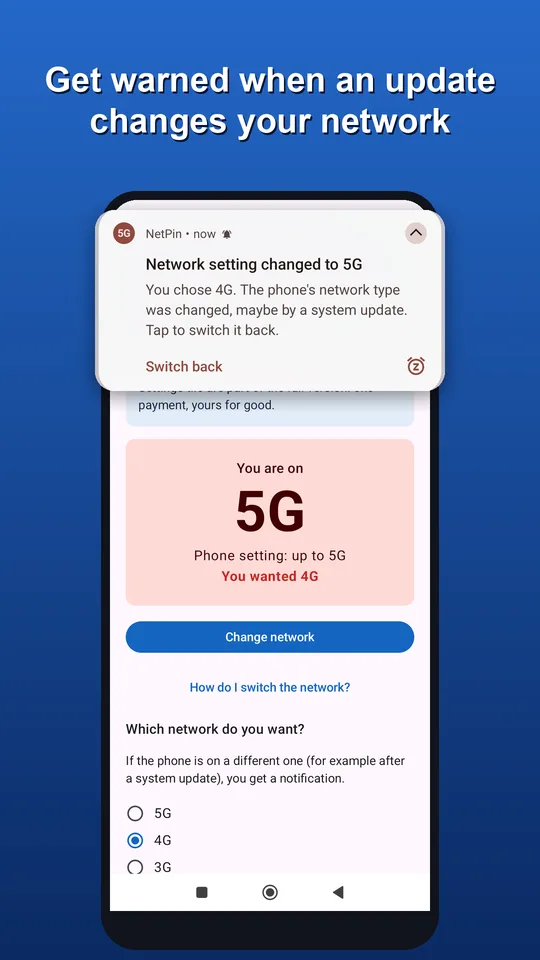
Some people prefer 4G because it saves battery or works better indoors, others want to stay on 5G. Either way, a system update can quietly change the setting. NetPin shows whether you are on 5G or 4G and warns you as soon as your network setting changes, so you can switch it back in two taps.

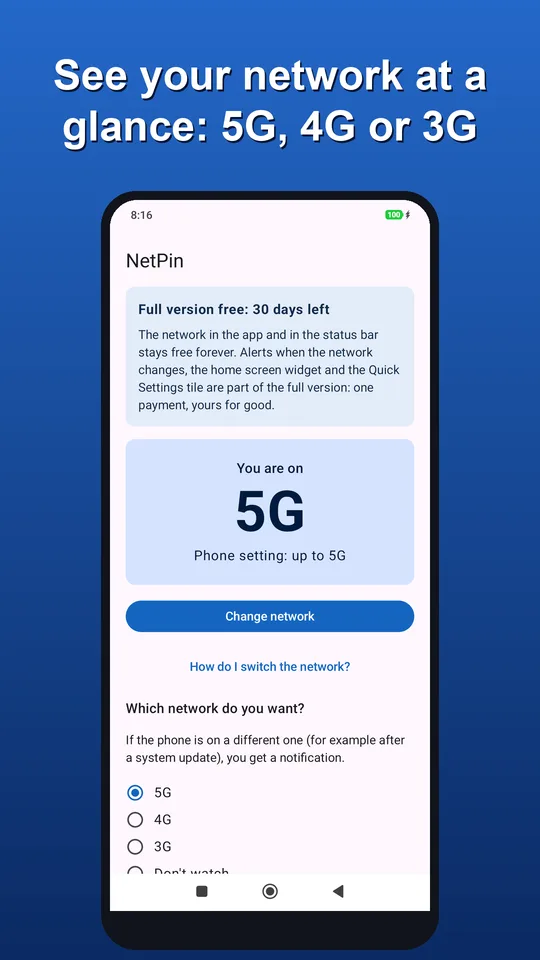
How to switch between 5G and 4G on Android
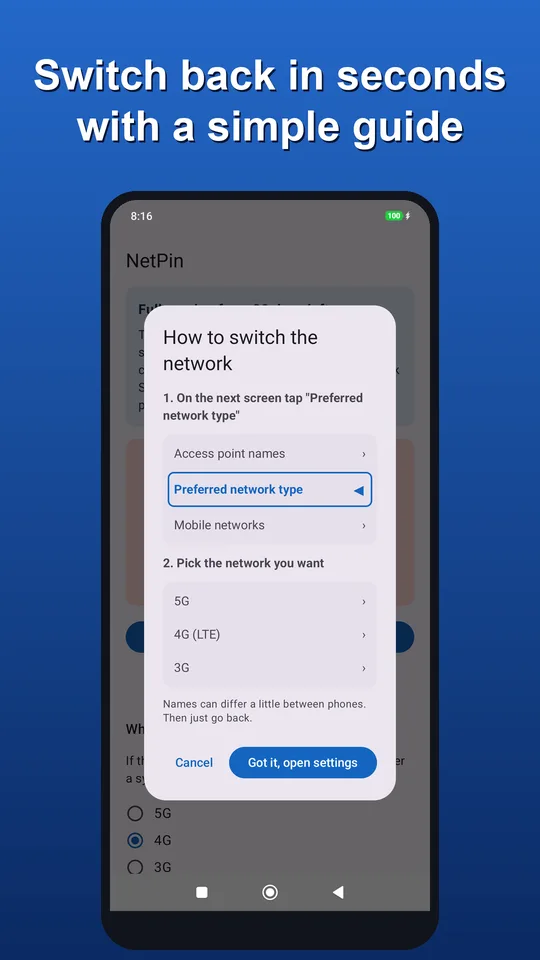
Android calls the setting "Preferred network type" (Samsung: "Network mode"). Choose the 5G option to use 5G, or the 4G/LTE option to stay on 4G only, which also turns off 5G. The path depends on your phone:
- Samsung Galaxy: Settings → Connections → Mobile networks → Network mode → 5G/LTE/3G/2G or LTE/3G/2G.
- Xiaomi, Redmi, POCO: Settings → SIM cards & mobile networks → your SIM → Preferred network type → Prefer 5G or Prefer 4G (LTE).
- Google Pixel: Settings → Network & internet → SIMs → your SIM → Preferred network type → 5G or LTE.
- Other phones: search Settings for "network type" or "network mode". NetPin opens the right page for you on most phones.
Some carriers hide or lock this setting, and 5G only works where your carrier and plan offer it.
Why the network setting changes after an update
System updates and carrier settings updates sometimes reset the preferred network type, most often back to 5G. Nothing on the screen tells you. NetPin watches the setting and sends a notification the moment it changes.
5G or 4G: which is better for the battery?
It depends on coverage. Where 5G is strong, the difference is small and 5G is faster. Where 5G is patchy, the phone keeps searching and switching between 5G and 4G, and that costs battery. If your battery runs down fast and 5G is weak where you live or work, 4G is worth a try.
We measured it on one Android phone lying still where 5G is weak: with 5G it used 47 % of the battery in a day, with 4G only 21 %, less than half. That is one phone in one place, so yours may differ, and NetPin can measure it for you.
And it is not only about today: a phone that drains faster has to be charged more often, and every charge cycle wears the battery a little. In most phones today the battery is built in and hard to replace, so a worn-out battery often means a new phone sooner.
What NetPin does
- Shows 5G, 4G or 3G in the status bar, in a home screen widget and in a Quick Settings tile.
- Warns you when your network setting changes, for example after a system update.
- Opens the right page in your settings with one tap, with a short guide showing where to tap.
- Works both ways: keeps you on 4G or on 5G, whichever you choose.
- Measures how much battery your phone uses at rest on 5G and on 4G, so you see the difference on your own phone.
- Shows how strong your signal is (bars and dBm), so you can find the best spot at home. A wide widget shows the network and the signal side by side.
Price
Showing the network is free forever. Alerts, the widget, the Quick Settings tile and the battery comparison are free for 30 days, then one payment unlocks them for good. No subscription, no ads.
Questions
Can an app switch between 5G and 4G by itself?
No. Android only lets the phone's own settings change the network type. NetPin opens that setting for you, and you pick 4G or 5G with one tap.
Does NetPin work on iPhone?
No, NetPin is for Android phones only. On iPhone you choose the network in Settings → Mobile Data → Mobile Data Options → Voice & Data.
Is my data safe?
NetPin reads only the network type. It never reads your calls, messages, contacts or phone number, and nothing leaves your phone.
Can an app make my signal stronger?
No. No app can boost the signal itself: that depends on the phone's radio and the distance to the mast. NetPin shows the signal as it is, so you can find the spot where it is strongest. On weak 5G, 4G often holds a steadier signal, and at home Wi-Fi calling helps.